Showing posts with label Docker. Show all posts

Tuesday, August 29, 2023

Install Docker on Linux


Docker


On your Linux machine (I'm using Ubuntu), check if you have docker installed by issuing the following command

docker --version

On my machine I did not find one, so we will go ahead and install the docker
Update the apt package index. Issue

sudo apt-get update

Install packages for apt to use a repository

sudo apt-get install \
apt-transport-https \
ca-certificates \
curl \
gnupg-agent \
software-properties-common

Add Docker's GPG Key

curl -fsSL https://download.docker.com/linux/ubuntu/gpg | sudo apt-key add -

Setup the stable command using the following command

sudo add-apt-repository \
"deb [arch=amd64] https://download.docker.com/linux/ubuntu \
$(lsb_release -cs) \
stable"

Install Docker

sudo apt-get update

sudo apt-get install docker-ce docker-ce-cli containerd.io

Once the Installation is complete, check the docker version

docker --version

Run Hello-world image by issuing following docker command

docker run hello-world

Run docker ps command to list the containers

Docker Commands


Docker Learning


Run an image: docker run hello-world
Check the Images running: docker ps
docker ps -all and docker ps --all
Create and start start an image
docker create busybox ping google.com

docker start 3b8cf24b0ed8b69554004ead964263cce5578800c85f71f4ad8376dd3368ef57

docker start -a 3b8cf24b0ed8b69554004ead964263cce5578800c85f71f4ad8376dd3368ef57

docker logs command

docker start 3b8cf24b0ed8b69554004ead964263cce5578800c85f71f4ad8376dd3368ef57

docker logs 3b8cf24b0ed8b69554004ead964263cce5578800c85f71f4ad8376dd3368ef57

Stop a container

docker ps

docker stop 3b8cf24b0ed8

docker kill 0cb4c057cb15

Start a stopped container

Create and run a redis server using

docker run redis
and then do ctrl +c, exit. check the stopped processes or containers. Lets start a stopped redis server using the container id

Connect to redis server using redis-cli to a particular container using exec command

root@yashwanthsn-VirtualBox:~# redis-cli
Could not connect to Redis at 127.0.0.1:6379: Connection refused
not connected>

root@yashwanthsn-VirtualBox:~# docker ps
CONTAINER ID IMAGE COMMAND CREATED STATUS PORTS NAMES
8f722cf5fd6f redis "docker-entrypoint.s…" 4 minutes ago Up 4 minutes 6379/tcp eloquent_saha


root@yashwanthsn-VirtualBox:~# docker exec -it 8f722cf5fd6f redis-cli
127.0.0.1:6379> set value 5
OK
127.0.0.1:6379> get value
"5"


Remove all stopped containers


docker system prune

Docker Shell

root@yashwanthsn-VirtualBox:~# docker ps
CONTAINER ID IMAGE COMMAND CREATED STATUS PORTS NAMES
7240a893ecdd redis "docker-entrypoint.s…" 18 seconds ago Up 15 seconds 6379/tcp nifty_wing


root@yashwanthsn-VirtualBox:~# docker exec -it 7240a893ecdd sh
/ # ls
echo :Hello, World"
Hello, World


root@yashwanthsn-VirtualBox:~# docker run -it busybox sh
/ # ls
bin dev etc home proc root sys tmp usr var
/ # ping google.com
PING google.com (172.217.160.206): 56 data bytes
64 bytes from 172.217.160.206: seq=0 ttl=114 time=69.558 ms
64 bytes from 172.217.160.206: seq=1 ttl=114 time=64.513 ms
^C
--- google.com ping statistics ---
2 packets transmitted, 2 packets received, 0% packet loss
round-trip min/avg/max = 64.513/67.035/69.558 ms
/ #

Creating Docker Images and Dockerfile

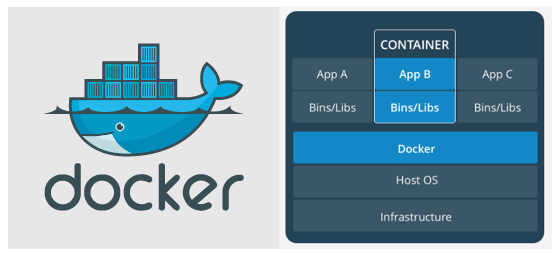
 Docker architecture


Dockerfile

Create a directory called redi-image

mkdir redis-image
cd redis-image

Create a Docker file "Dockerfile" inside the redis-image directory. The Dockerfile has below content


From the base image
Run the update on redis
Command

Next build the image using the following docker command

docker build .


Now run the docker run command

docker run 2cad9caf152f


Redis server is up and ready to accept connections

Open a new terminal and run docker ps


Connect to redis-cli using the redis-server container and run commands